

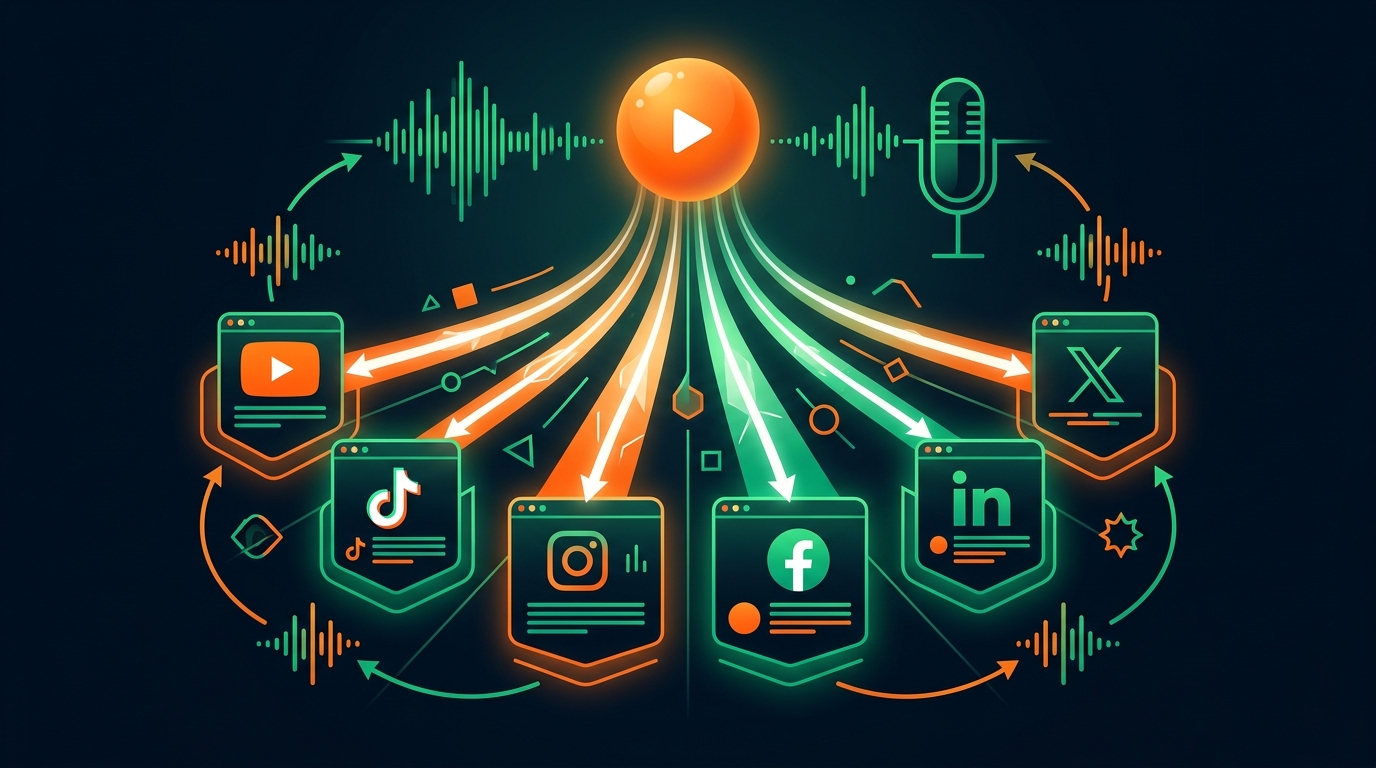
Approve Your YouTube Launch First, Then Adapt Across 6 Platforms
Why blind social cross-posting fails, and how to adapt one approved YouTube launch into native packages for TikTok, Instagram, Facebook, LinkedIn, and X.
Extract vertical Shorts and adapt your approved YouTube launch for TikTok, Instagram, Facebook, LinkedIn, and X.
Nothing screams "automated spam" faster than a generic social scheduler blasting the exact same horizontal 16:9 clip, truncated YouTube description, and broken timestamp list simultaneously to six networks at 9:00 a.m. On LinkedIn it reads like lost promotional paste; on TikTok and Instagram Reels viewers swipe past tiny letterboxed video in under a second; on X an external raw link with five hashtags gets ignored.
Yet doing multi-platform distribution properly by hand carries its own tax: spending ninety minutes after every YouTube edit rewriting captions, trimming aspect ratios, hunting vertical moments, and re-checking character caps across five extra tabs until your voice blurs into mush.
The sustainable middle path is YouTube-first launch architecture. You treat YouTube as the primary home where watch hours, search equity, and deep viewer trust compound. You review and approve your YouTube launch package first. Only after that flagship release is solid do you adapt native vertical clips and platform-specific copy for the five supporting destinations (TikTok, Instagram, Facebook, LinkedIn, and X, covering 6 platforms total), all grounded in the same video evidence and your Author Voice DNA, never blind blast scheduling.
Why "equal blast scheduling" fails and YouTube-first adaptation works
Social media schedulers were built for marketing calendars posting static graphics and short promo announcements. Creator video physics work completely differently:
- YouTube compounds for years; social feeds decay in days: A well-packaged 16-minute YouTube upload keeps earning Search and Suggested watch hours eighteen months from now. Supporting destinations shine as discovery funnels and community touchpoints that reinforce your voice and point viewers back toward your main body of work.
- Every surface enforces distinct format contracts: What earns a tap on YouTube Browse fails on a sound-off LinkedIn scroll or a rapid-fire TikTok swipe.
- Mistakes in the master package multiply downstream: If you cross-post before verifying your core premise and hook on YouTube, you broadcast a weak angle everywhere at once. Locking the YouTube package first gives every downstream post a verified spine.
| Platform Role & Surface | Video Cut & Aspect Ratio | Copy & Field Structure | Discovery Mechanics to Respect |
|---|---|---|---|
| YouTube (Primary Home) | Full 16:9 master (plus linked 9:16 YouTube Shorts) | Specific 45–65 char title + saved 24h backup, 2-line above-fold hook, 00:00 chapters, tags, SRT/VTT captions | CTR + first-30s retention + session watch time; tracked at 3, 12, 24, 48h + 7d, 28d |
| TikTok (Supporting Vertical) | Standalone 9:16 clip (30–60s) starting right on the visual/spoken turn | Punchy 1–2 line hook caption + 3–5 topical hashtags; clear safe-zone text | First-2-second swipe hold and completion rate |
| Instagram Reels (Supporting Vertical) | Clean 9:16 vertical cut without watermarks; 9:16 / 4:5 cover frame | Conversational opening line before "more" fold + natural niche keywords | Shares to DMs, saves, and clean audio/caption readability |
| Facebook (Supporting Feed/Reels) | Native 9:16 Reel or 16:9/4:5 feed video depending on audience age | Plainspoken context headline + story-led caption inviting real replies | Watch completion and comment threads among community groups |
| LinkedIn (Supporting Professional) | Standalone 16:9, 1:1, or 9:16 insight clip with clean burned/SRT captions | Practical takeaway post (3–6 short paragraphs) framing the craft, lesson, or trade-off | Dwell time on text + sound-off playback clarity |
| X (Supporting Conversation) | Native 30–90s clip of the sharpest thesis or visual proof | Sharp single-post observation (under limit, zero hashtag clutter) in your natural voice | Direct native video playback, replies, and bookmarks |
Step-by-step: running a YouTube-first launch across 6 platforms
Here is how a single finished edit moves cleanly from local export to multi-platform distribution inside VidSeeds.ai without sacrificing native quality or control.
Step 1: Diagnose and approve your YouTube launch first
Drop your finished cut into Pre-Upload Review (using direct multimodal analysis for short files, or Client-First browser intake for multi-GB masters). Tighten any flagged opening drag using exported NLE markers (.xml, .csv, .edl, .fcpxml, .txt), then finalize your YouTube title, saved 24h backup title, chapters, description, captions, and cover inside the Producer Workbench and YouTube Feed Simulator.
Nothing moves to supporting social channels until you look at the YouTube package and say, "Yes, that accurately represents what I filmed and sounds like me." For full details on what happens during that first step, see what you actually get in pre-upload video optimization.
Step 2: Extract standalone vertical moments instead of reposting horizontal trailers
Never shrink a 20-minute horizontal YouTube video into a tiny center band on TikTok or Reels. Use Auto-Clips and Precision Trim to pull 2 to 4 genuine standalone beats from your existing footage: moments where one complete thought, visual reveal, or counterintuitive fact lands cleanly in 35 to 60 seconds and opens curiosity for the full YouTube episode.
Step 3: Adapt native copy per destination in your Author Voice DNA
Inside Launch Review (or via a single conversational request in dashboard agent chat or our 128-tool Remote MCP Server), VidSeeds.ai adapts native post packages for whichever connected supporting accounts you choose.
Because every package draws from the same verified video transcript and scenes plus your persistent Author Voice DNA, your personality stays recognizable everywhere while field length, hashtag placement, and framing adjust to each platform's own limits (lib/platforms/limits.ts). If your audience spans multiple regions, you can also localize metadata and SRT/VTT captions across 85 languages (metadata and captions only, never dubbing or cloning your voice).
Step 4: Run preflight readiness and publish only what you confirm
VidSeeds.ai enforces two strict rules around publishing:
- Explicit approval on every destination: Preflight checks verify platform field limits, media readiness, and account connections before staging. Nothing ever auto-publishes behind your back.
- Zero publish pressure: Publishing through VidSeeds.ai is 100% optional. If you prefer copying your adapted LinkedIn or TikTok copy manually or skipping Facebook altogether on a given week, the workspace never nags, emails, or pressures you about unpublished drafts.
Ready to lock a stronger YouTube launch first and adapt native supporting posts without spending an extra evening rewriting? Prepare your next YouTube-first launch in VidSeeds.ai. Eligible new accounts can receive 100 free seeds. No credit card is required.
Frequently Asked Questions
Why shouldn't I publish the exact same caption and video cut to all 6 platforms at once?
Each platform rewards different viewer behaviors and formats. YouTube rewards specific 45-to-65-character search/browse titles, 16:9 covers, and timestamped chapters, whereas TikTok and Instagram Reels require 9:16 vertical framing with immediate two-second hooks, and LinkedIn rewards thoughtful takeaway prose. Identical cross-posts underperform native adaptations on almost every feed.
Do I have to connect all 6 platforms to use VidSeeds.ai?
No. YouTube leads the entire workflow, and reviewing a local video file requires zero connected accounts at all. You connect only the specific channels you actually publish to (whether that is YouTube alone, YouTube plus Instagram and TikTok, or all 6 platforms), and you can always copy generated packages manually if you prefer.
Does VidSeeds.ai generate synthetic vertical videos or dub audio for TikTok and Reels?
Never. Auto-Clips and Precision Trim isolate and reframe real moments strictly from the finished video you already filmed, and 85-language localization translates text metadata and SRT/VTT captions only without touching or dubbing your original audio.
Will VidSeeds.ai auto-post scheduled drafts without my confirmation?
No. Nothing publishes without your explicit approval action, and VidSeeds.ai follows a strict no-publish-pressure policy: unpublished projects sit quietly in your workspace with zero nagging notifications.
Andrei Kiparuk
Aurora, ColoradoFounder of VidSeeds.ai and YouTube creator in Aurora, Colorado
We built VidSeeds.ai in Aurora, Colorado after diagnosing real YouTube uploads and watching strong cuts stall behind unclear openings, generic titles, and untested thumbnails. Every guide here comes from the pre-upload review, retention analysis, and packaging workflows we run ourselves.
About the foundersAuto-Clips & Multi-Platform Launch
Pull Shorts and multi-platform packages from your finished video
Approve your YouTube launch first, extract vertical clips with Auto-Clips and Precision Trim, and review native copy for every connected destination before publishing.
- Auto-Clips moments with vertical framing and clean hook selection
- Precision Trim cut points tied to exact spoken timecodes
- Native captions and post copy for TikTok, Instagram, Facebook, LinkedIn, and X
Eligible new accounts can receive 100 free seeds. No credit card is required.
Related guides
How to Upload One Video to Multiple Platforms Without Rewriting
Approve your YouTube launch package first, then adapt native captions and post copy for TikTok, Instagram, Facebook, LinkedIn, and X without rewrites.

Turning Long YouTube Videos Into Shorts and Vertical Clips That Stand Alone
Extract self-contained vertical clips from long-form YouTube videos using spoken hooks, clean Precision Trim boundaries, and native platform packaging.

Best AI Tools for YouTube Video Packaging and Multi-Platform Publishing (2026)
An honest 2026 buyer's guide comparing pre-upload video review, keyword plugins, timeline editors, transcript cutters, thumbnail tools, and social schedulers.