

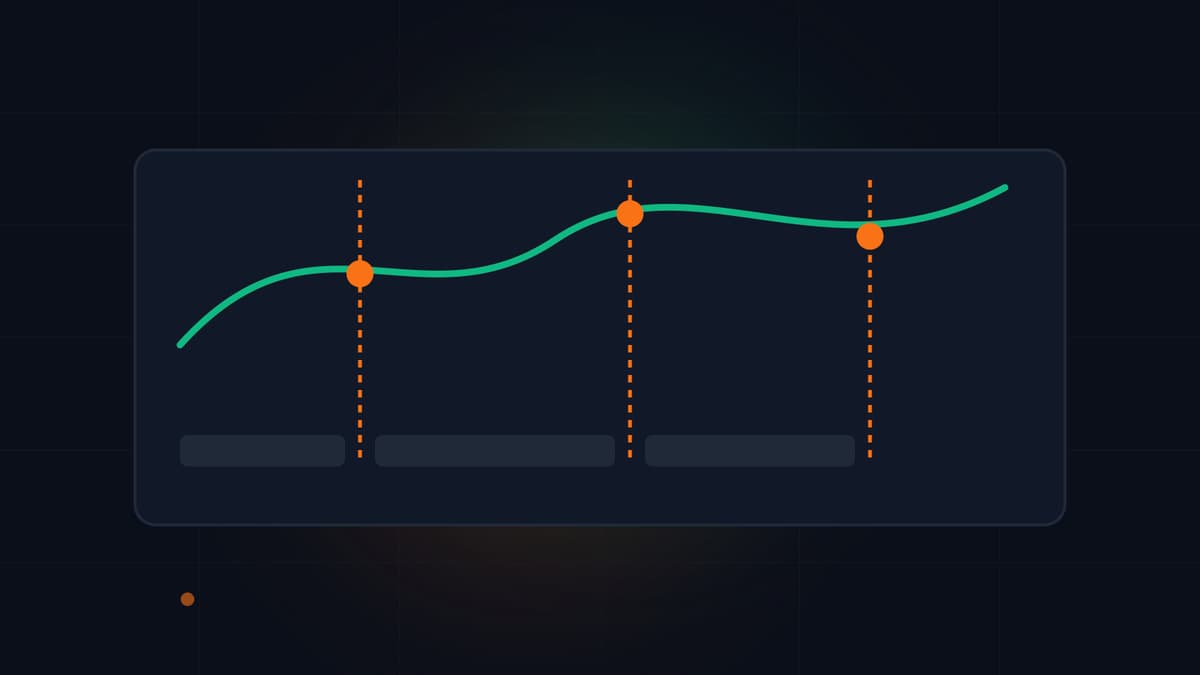
How Do You Place Q4 Mid-Roll Ads on YouTube Without Hurting Viewer Retention?
Q4 ad spend pushes YouTube RPM higher from October to December. Place mid-roll ads at natural chapter breaks to capture Q4 CPMs without hurting retention.
Creators keep 55% of long-form YouTube ad revenue, and early YouTube testing showed that channels combining manual mid-roll placements with automatic natural-break slots earned an average 5% increase in ad revenue over manual placements alone. As October begins and fourth-quarter advertising budgets open up, placing mid-roll ads on videos 8 minutes or longer at clean chapter transitions lets you capture higher Q4 ad rates without pushing viewers off your video mid-sentence.
The last week of September 2026 made one thing clear for working producers: YouTube is automating more of the back end while scrutiny on real viewer attention gets tighter. At Made On YouTube 2026 on September 23 in New York, CEO Neal Mohan noted that YouTube shipped more than 3,000 product updates this year, introducing Ask Studio draft feedback, dynamic thumbnails across three audience segments, and YouTube Shopping affiliate expansion to 35 countries. That same week, independent data from Agentio across more than 75,000 videos revealed that since YouTube switched to first-frame public view counting in August, only 6 in 10 public views register as engaged views. When surface view counts run 40% ahead of real attention, protecting actual watch time during Q4 is what pays the bills.
Why Does YouTube RPM Climb Between October and December?
Fourth-quarter advertiser competition drives CPM (Cost Per Mille, what advertisers pay per 1,000 ad impressions) and RPM (Revenue Per Mille, your gross revenue per 1,000 views after YouTube's cut) to their highest levels of the calendar year. According to GigaStar's seasonality analysis, a channel earning a $10 CPM in September often sees $14 to $15 in November and $16 or more in December before budgets reset in January. Across a 300-channel study by MilX covering May 2025 to May 2026, the median channel displayed ads on 53% of its views and recorded a $2.30 median RPM overall, while Education and Science channels reached a $10.22 median RPM and U.S. viewer CPMs averaged $14.67.
New ad inventory rules are also expanding Q4 auction pressure. Google updated its advertising policy in September so that personalized alcohol advertising goes live on YouTube inventory on October 30, 2026 in permitted markets, bringing heavier bidding to food, comedy, music, travel, and sports channels right before the holiday surge.
More advertiser demand does not automatically translate into higher channel payouts if your viewers abandon the video before reaching your second or third ad break. Requesting an ad slot every 90 seconds does not force YouTube to play an ad every 90 seconds. It only tells the auction that a slot is available. If that slot cuts across a punchline or a technical explanation, the viewer clicks away and costs you both the impression and the session watch time.
| Mid-Roll Strategy | How Ad Slots Are Chosen | Typical Impact on Pacing | Best Use Case for Q4 |
|---|---|---|---|
| Manual only (fixed intervals) | Creator drops markers every 2 to 3 minutes regardless of speech | High risk of mid-sentence interruptions if placed by the clock | Avoid; triggers interruptive slot warnings in YouTube Studio |
| Automatic only | YouTube's machine learning detects visual and audio pauses | Low disruption, but misses intentional story cliffhangers | Fast turnarounds or conversational streams with loose structure |
| Hybrid (manual chapter breaks + automatic) | Creator places manual slots at chapter transitions; YouTube fills natural pauses | Preserves narrative flow and averages 5% higher ad revenue | Scripted tutorials, essays, reviews, and documentaries over 8 minutes |
How Do Mid-Roll Ad Slots Interact With Natural Chapter Breaks?
Since YouTube upgraded its mid-roll ad placement system to prioritize natural breakpoints, YouTube Studio evaluates audio pauses, scene changes, and sentence boundaries before serving an ad. Inside the YouTube Studio editor, the platform flags manual ad slots that cut into active speech or action sequences so you can move them to a cleaner transition.
The most reliable place for a manual mid-roll marker is the exact timestamp where one chapter resolves and the next question opens. However, how you edit that transition determines whether the viewer stays through the ad:
- Open the next loop before the breath: If you finish Chapter 2 by saying "And that solves the audio issue," and drop a 1.5-second black fade before Chapter 3, the viewer feels the video is finished. When a mid-roll ad fires in that gap, they leave.
- State the next problem, pause for 1 second, then start the chapter: Before the transition graphic or chapter boundary, state what is at stake in the next section ("Now that the mic is clean, we need to fix the room echo that ruins 80% of home studios"). Pause for one full second, let the mid-roll slot sit on that cut, and immediately deliver the answer when playback resumes.
- Space manual slots 3 to 5 minutes apart on 12-to-20-minute videos: Let YouTube's automatic slots stay enabled alongside your manual chapter slots so the system can pick whichever breakpoint matches an individual viewer's ad load tolerance.
How Can You Spot Pacing Risk Before You Set Your Ad Breaks?
Guessing where viewers might lose interest after a video is already public wastes the opening 48 hours of a Q4 launch. Instead of waiting for post-publish audience retention graphs to show a steep drop at minute 04:15, run a pre-upload video diagnosis on your finished cut before you upload it to YouTube Studio.
VidSeeds.ai reviews your finished video file before upload and flags weak openings, sluggish transitions, and timestamped pacing issues with labelled retention-risk hypotheses. It does not claim to predict future retention or hand out a fake viral score, and it never alters your source footage behind your back. Instead, you get concrete, timestamped notes pointing to the exact seconds where an explanation drags or a visual stays static for too long. You apply those trims in your own editor or the supported trim tool, then use the drafted launch package in VidSeeds.ai (which includes timestamped chapters, titles, backup title, descriptions, tags, SRT/VTT captions, and frame-grounded thumbnails) to align your manual mid-roll slots with your clean chapter list. For a deeper dive on ad break mechanics, see our guide on the Mid-Roll Ad Optimizer.
If you also want to review which existing videos in your back catalog are ready for Q4 traffic, run a YouTube channel audit on your public uploads to spot format patterns and packaging gaps across your channel. And if your audience spans multiple regions as YouTube expands international shopping and localized ad auctions, you can localize your approved titles, descriptions, chapters, and captions into 85 languages through AI video translation so international viewers find your videos in their own language. Eligible new accounts can receive 100 free seeds to test the workflow in the web app, and any failed analysis costs 0 Seeds.
Frequently Asked Questions
How long does a YouTube video need to be for mid-roll ads in 2026?
A video must be at least 8 minutes long to enable mid-roll ads in YouTube Studio. For videos under 8 minutes, only pre-roll and post-roll ad formats are available.
Should I turn off automatic mid-roll ads if I place my own manual breaks?
No. YouTube's internal testing found that channels keeping both automatic and manual mid-roll ad slots enabled earned an average of 5% more ad revenue than channels using manual placements alone. Keep automatic mid-rolls turned on and add manual slots at intentional chapter hooks.
Does every viewer see an ad at every mid-roll marker I place?
No. Mid-roll markers are candidate slots, not forced interruptions for every viewer. YouTube decides whether to serve an ad at a given timestamp based on the viewer's recent ad history, device, geography, and current advertiser bidding.
How does VidSeeds.ai help prepare a long-form video for Q4 monetization?
VidSeeds.ai inspects your finished video via pre-upload diagnosis to flag weak openings and timestamped pacing risks before you publish, and it drafts structured YouTube chapters alongside titles, descriptions, captions, and frame-grounded thumbnails. Nothing publishes without your approval, and you keep full control over your edit and your YouTube Studio ad settings.
Andrei Kiparuk
Aurora, ColoradoFounder of VidSeeds.ai and YouTube creator in Aurora, Colorado
We built VidSeeds.ai in Aurora, Colorado after watching great YouTube videos stall because of slow openings, unclear titles, and weak thumbnails. Every guide here comes from the video and channel checks we run ourselves.
About the foundersWhere to put ad breaks
Find natural mid-roll ad breaks for 8+ minute videos
See exact pause timestamps where one thought finishes and the next begins, then review every break before copying it into YouTube Studio.
- Natural pause timestamps where one thought ends and the next begins
- Spacing checks for 8+ minute videos so ads are not bunched together
- Easy-to-copy timestamp list you can paste straight into YouTube Studio
Eligible new accounts can receive 100 free seeds. No credit card is required.
Related guides

YouTube Mid-Roll Ad Placement: Protect Retention While Lifting RPM
Stop dropping mid-roll ads at random 8-minute intervals. Place YouTube ad breaks at natural story transitions so viewers stay watching and RPM grows cleanly.

Sustainable YouTube Monetization: How Creators Build Real Income
AdSense alone swings 30 to 50% by season. Compare YouTube RPM, affiliates, memberships, digital products, and sponsorships to build steady creator income.
How to Audit Your Last 10 YouTube Videos for One Clear Fix
Stop guessing why one upload flopped. Review your last 10 public YouTube videos to spot the single pattern holding back views, or run the audit via MCP.