

Inside Producer Workbench: Launch Checkpoints, Voice DNA, and Library
How Producer Workbench in VidSeeds.ai answers what to do right now across First-72-Hours checkpoints, 24h backup titles, Feed Simulator, and Voice DNA.
Audit your channel topics, outlier gaps, and Author Voice DNA from real upload evidence.
Most creator dashboards fail the exact same test: you sign in with twenty spare minutes between edits, stare at twelve pastel graphs, and still have no clear answer to "What is the single highest-value move I should make on my channel right now?"
Meanwhile, your real packaging work sits scattered across six browser tabs, a Notion doc full of rejected title drafts, a local folder of thumbnail exports, and YouTube Studio's analytics screen. Two weeks later you cannot remember whether you swapped the title on Episode 42 at hour 18 or day 4, or which backup angle you meant to test if clicks came in soft.
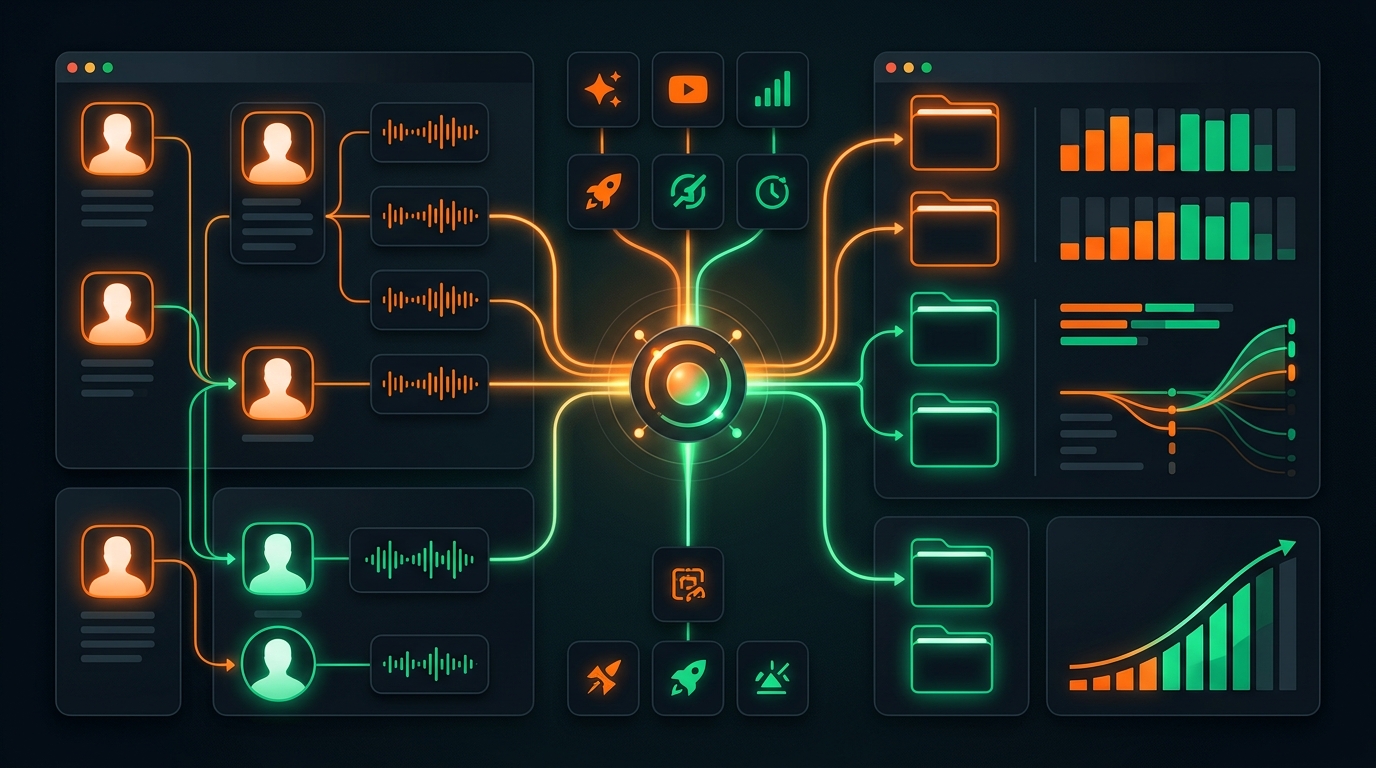
When we redesigned our home workspace into Producer Workbench inside VidSeeds.ai, we built it around operational clarity rather than vanity charts. From the second you sign in, Producer Workbench joins pre-upload readiness, First-72-Hours post-publish checkpoints, your Author Voice DNA profile, and your searchable project history into one calm queue of concrete next actions.
Answering "What Should I Do Right Now?" on Login
A working YouTube producer wears three hats during any given week: preparing the cut that goes live tomorrow, watching the upload that went live yesterday, and deciding what to shoot this weekend based on what actually held attention last month.
Producer Workbench organizes your workspace around those exact operational states instead of forcing you to hunt through nested menus:
| Producer Workbench Zone | What It Tracks Automatically | Concrete Action You Can Take in One Flow |
|---|---|---|
| Pre-Upload Launch Queue | Unreleased cuts in review, hook-to-title alignment notes, Feed Simulator mobile legibility checks, and saved 24-hour backup titles | Finalize your primary YouTube package, inspect phone truncation beside niche neighbors, and stage optional 6-platform or 85-language adaptations |
| First-72-Hours Watchlist | Structured post-publish checkpoints at 3, 12, 24, and 48 hours, followed by 7 days and 28 days, benchmarked against your channel's usual range | Execute a calm 24-hour backup-title swap when impressions land and retention holds while clicks lag, or open Video Autopsy at day 7 |
| Next Video Brief & Opportunity Finder | Verified retention lessons carried forward via Blueprint Carry plus underserved audience demand from Audience Insights | Start your next outline with concrete opening constraints and topic angles proven on your own channel |
| Projects Library & Change History | Searchable archive of every analyzed video, thumbnail candidate, localization batch, and approved metadata update with timestamps | Audit which title or thumbnail swap coincided with a Suggested lift without digging through old spreadsheets |
| Channel Voice & Visual Identity | Live status of each connected channel's Author Voice DNA, Channel Visual Identity, and current Seeds balance | Refresh your voice fingerprint after a format shift or adjust phrasing preferences in plain English |
Managing the First 72 Hours Without Panic-Editing
The riskiest window in a video's life is the first two days after publish. Left alone in YouTube Studio, creators fall into one of two traps: either they close the laptop for a week and let a great video suffocate behind a confusing title, or they panic at hour two after 140 impressions and rewrite the title, description, and thumbnail three times before dinner.
Our Launch Review and First-72-Hours rhythm inside Producer Workbench replaces both traps with disciplined checkpoints:
- Before upload, you bank a 24-hour backup title. While you are calm and looking at your finished video's real evidence, you approve your primary launch title and save a distinct second angle (for instance, shifting from a problem-first search hook to a result-first Browse hook) right inside the project.
- At
3and12hours, you verify mechanics and early subscriber response. Confirm0:00chapters activated, captions rendered cleanly, and early retention does not show an unexpected editing glitch. - At
24and48hours, you check usual-range alignment. Producer Workbench compares click-through rate and early retention against your own channel's usual range for comparable uploads. If retention is healthy (viewers who click love the video) while CTR sits materially below your usual band, your saved 24-hour backup title is sitting one click away, ready for your review and confirmation without midnight Writer's Block. - At
7and28days, you capture durable lessons. Once Suggested and Search cohorts mature, run Video Autopsy on outliers so Blueprint Carry feeds verified structural wins straight into your Next Video Brief.
Keeping Voice Profiles Sharp Across One or Multiple Channels
If you run a main long-form channel alongside a second Clips or vertical-focused brand, or manage creator channels for a small studio team, keeping tone consistent across projects gets messy fast. A crisp technical tutorial channel should never inherit the dry travel-vlog cadence of a personal channel.
Producer Workbench isolates Author Voice DNA and Channel Visual Identity per connected channel. At a glance, you see how many published videos and approved edits anchor each voice profile and when it was last refreshed. Curious how much real edits tighten draft quality over time? We shared concrete examples in Author Voice Fingerprinting: What Real Results Look Like.
Every approved metadata update, 85-language caption/metadata localization batch, extracted Auto-Clip, and thumbnail variation stays attached to that video's project record in your library. Six months from now, when you want to see the exact before-and-after title diff you approved on an evergreen video, it sits right inside the project timeline.
Same Workbench State Inside Your AI Client via MCP
Not every creator wants to click through web tables when planning a batch of shoots. Because Producer Workbench shares a single backend state with our hosted MCP server, all 128 tools (124 creator workflow tools plus 4 account utilities) can read and act on your exact project library from Claude Desktop, Cursor, ChatGPT, or Codex.
In one natural prompt inside your AI workspace, you can ask: "Check my Producer Workbench: which uploads hit their 24-hour checkpoint below usual CTR, and which pre-upload projects still need a Feed Simulator thumbnail check?" Your assistant pulls the live project state, proposes the saved backup swap or thumbnail brief, and waits for your explicit confirmation before applying anything.
Honest Boundaries of Producer Workbench
Producer Workbench is an operational layer for packaging, diagnosis, and channel memory, not a replacement for YouTube Studio's core monetization or rights tools:
- YouTube Studio remains the source of truth for AdSense payouts, Content ID claims, comment moderation, and live YouTube Test & Compare thumbnail splits.
- History logs actions taken through VidSeeds.ai alongside synced channel snapshots; manual edits you type directly inside YouTube Studio at 2:00 a.m. outside our workflow will only show up as updated current live metadata on the next channel sync.
- Zero autonomous writes. Even when Producer Workbench flags a clear 24-hour backup-title opportunity, nothing ever changes on your live YouTube video until you review the diff and click confirm.
Frequently Asked Questions
How do First-72-Hours checkpoints know what is normal for my channel?
When your YouTube channel is connected, VidSeeds.ai benchmarks new uploads against your own channel's historical performance across comparable video lengths and formats rather than judging a niche documentary channel against broad gaming or entertainment averages.
Does Producer Workbench swap in my 24-hour backup title automatically?
No. Nothing on VidSeeds.ai modifies live YouTube titles, descriptions, or thumbnails on autopilot. When a 24-hour or 48-hour checkpoint shows strong retention paired with below-range CTR, Producer Workbench surfaces your saved backup title for one-click review and explicit manual confirmation.
Can I manage more than one YouTube channel without mixing up their styles?
Yes. Each connected channel maintains its own isolated Author Voice DNA, Channel Visual Identity, project filter, and performance baselines, so phrasing and visual habits from one channel never bleed into another.
Can I access my Projects Library and checkpoints from Claude or Cursor?
Yes. Connecting our MCP server (https://vidseeds.ai/api/mcp) gives compatible AI clients scoped OAuth access to inspect your active projects, First-72-Hours status, voice profiles, and Seeds balance with the same review-before-publish safety gate.
Replace scattered title spreadsheets and guesswork Studio refreshes with one clear operational view. Sign in to Producer Workbench on VidSeeds.ai to connect your channel, bank a 24-hour backup title on your next upload, and track every launch checkpoint against your usual range. Eligible new accounts can receive 100 free seeds. No credit card is required.
Andrei Kiparuk
Aurora, ColoradoFounder of VidSeeds.ai and YouTube creator in Aurora, Colorado
We built VidSeeds.ai in Aurora, Colorado after diagnosing real YouTube uploads and watching strong cuts stall behind unclear openings, generic titles, and untested thumbnails. Every guide here comes from the pre-upload review, retention analysis, and packaging workflows we run ourselves.
About the foundersChannel Investigation & Voice DNA
Investigate your channel and lock in your Author Voice DNA
See which formats earn watch time on your channel, uncover Opportunity Finder topic gaps, and draft voice-matched ideas and channel descriptions.
- Channel Investigation snapshot of repeatable winners and weak packaging patterns
- Opportunity Finder topic gaps backed by outlier videos in your niche
- Author Voice DNA profile learned from your own transcripts and descriptions
Eligible new accounts can receive 100 free seeds. No credit card is required.
Related guides
The Consistent Creator's Calendar: Shipping YouTube Uploads Without Burnout
Build a sustainable weekly or biweekly YouTube production calendar using mode separation, a two-video reserve buffer, and scheduled launch checkpoints.
Finding Your YouTube Niche and Voice Without Sounding Like Everyone Else
Narrow a crowded YouTube topic into a sustainable niche you can film for years, discover your real on-camera voice, and keep AI packaging sounding like you.
Best Time to Post on YouTube in 2026: Upload Windows and First-72-Hour Rules
Find the best time to publish on YouTube using Studio audience bars, time-zone math, processing lead times, and structured 3h to 48h post-launch checkpoints.